A Botika & Photoroom alternative for AI fashion photos
Botika and Photoroom are good tools. But if your real problem is that the garment has to stay exactly the one you sell, and you need both product pages and campaigns, it is worth seeing where rIMAGEx fits.
In short
Botika generates AI models, Photoroom excels at background and staging on mobile. rIMAGEx is vertical on on-model fashion: it starts from the real photo of your garment, replicates it faithfully, and covers both e-commerce packshots and editorial campaigns.
Written by Marco Conte, fashion photographer and founder of rIMAGEx, Milan. Published 8 June 2026.
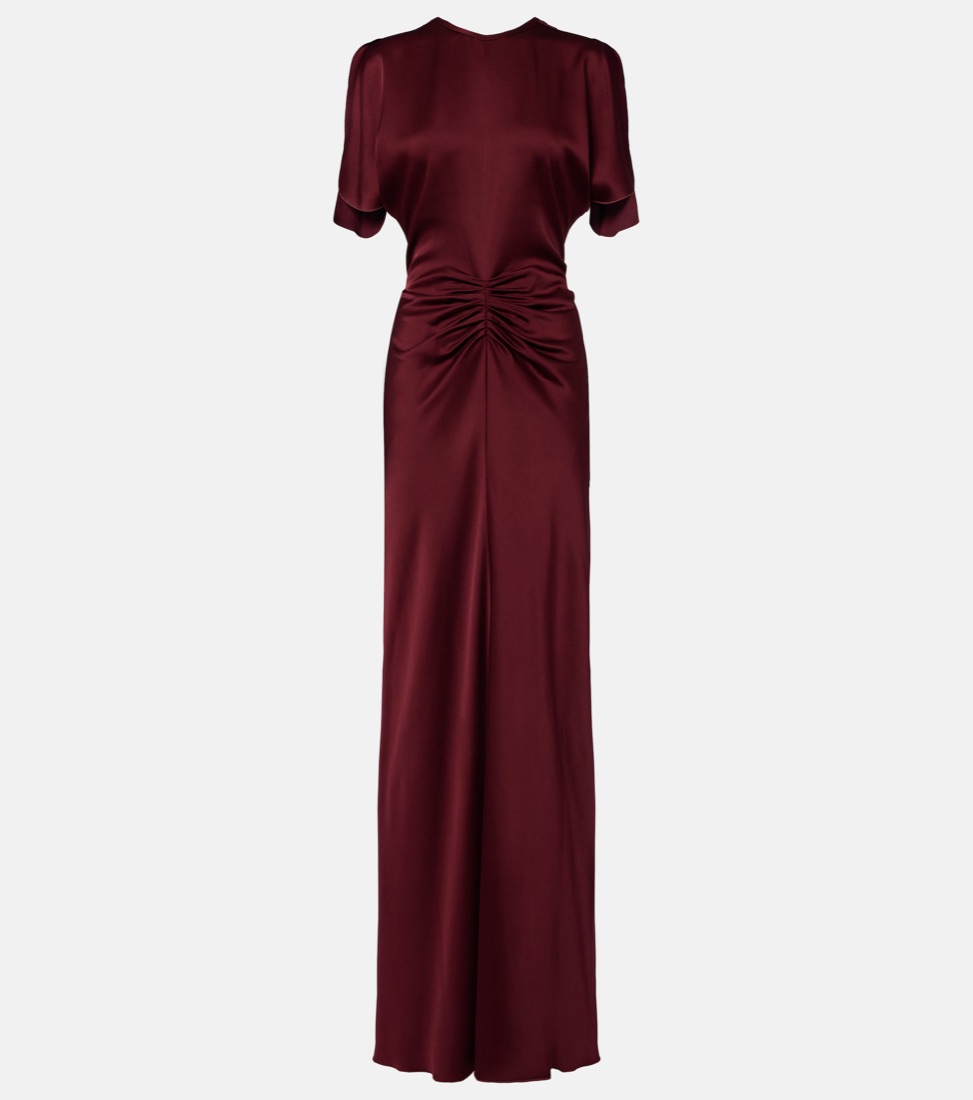
Real garment
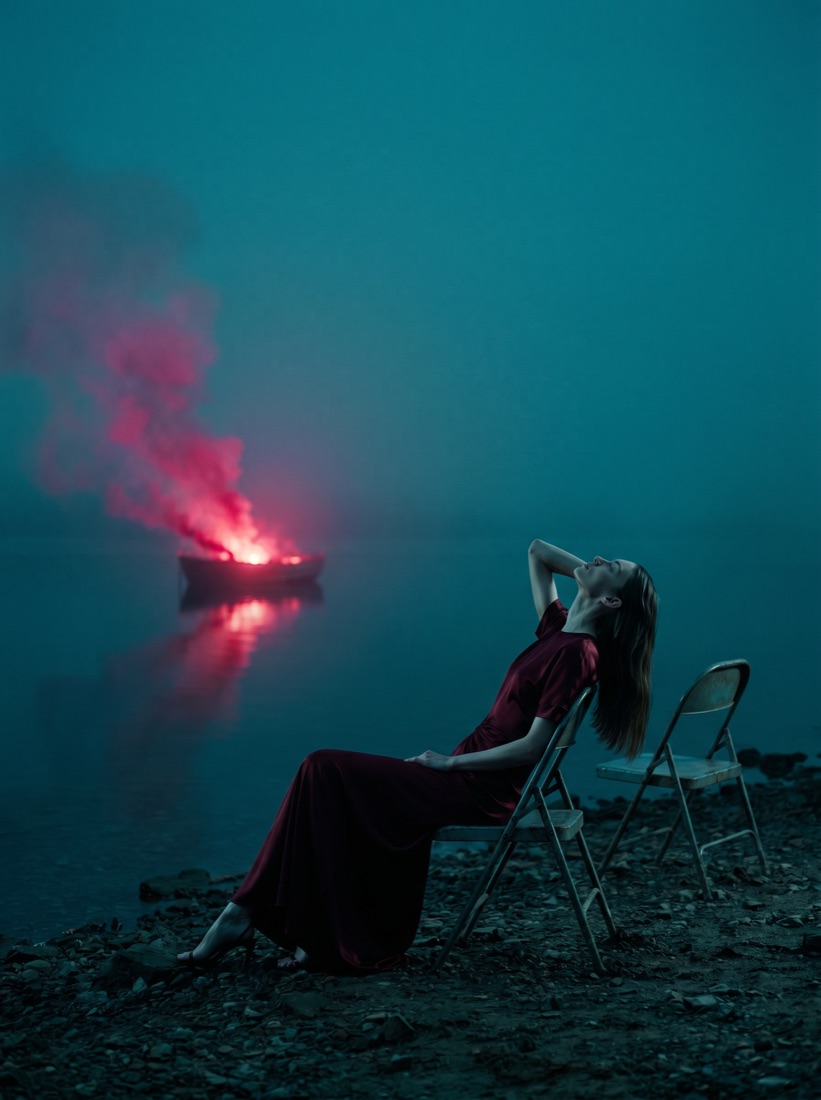
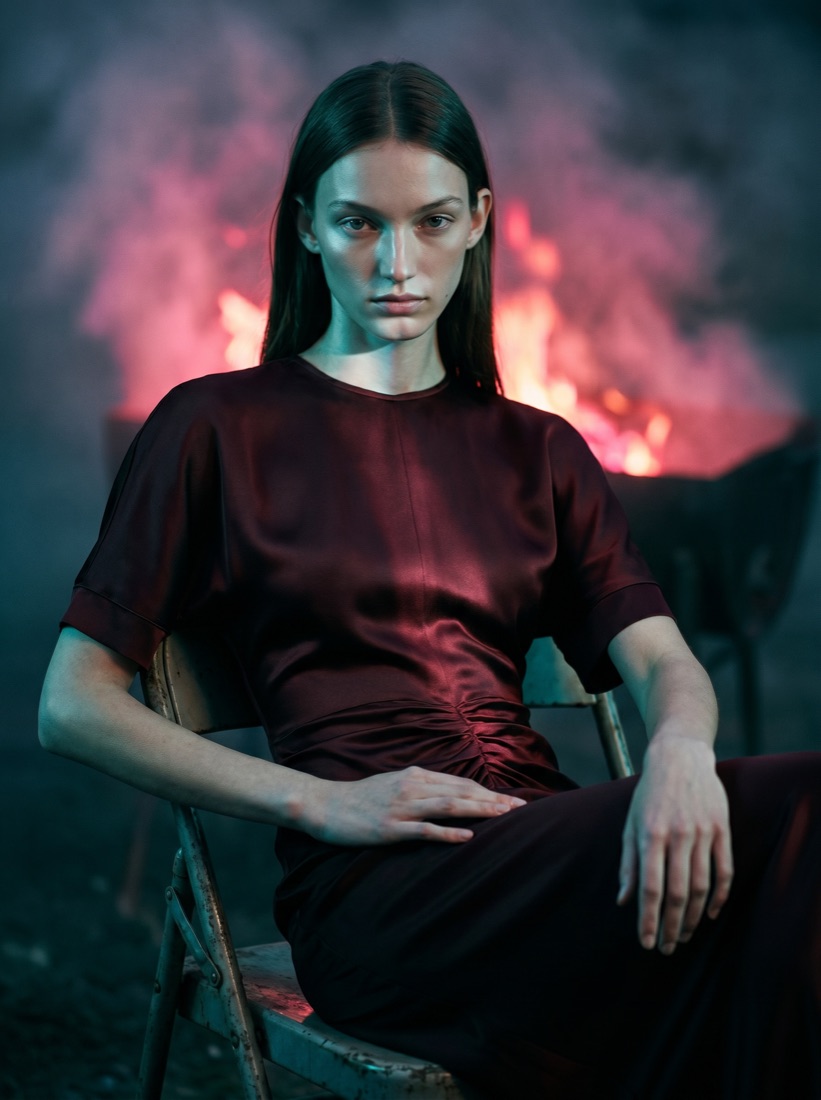
Generated in rIMAGEx, same dress
Botika, Photoroom and rIMAGEx: what they do
Botika generates AI models from clothing photos and is a valid tool for getting on-model packshots quickly.
Photoroom is very strong at background removal, product staging and virtual models, especially for people who sell on marketplaces and work from their phone.
rIMAGEx is built around one precise thing: fidelity to the real garment. It starts from the product photo and replicates it thread by thread, on two fronts, e-commerce and campaigns, keeping the same model across every view.
Comparison at a glance
| Criterion | Botika | Photoroom | rIMAGEx |
|---|---|---|---|
| Starts from the real garment | Yes | Yes | Yes, with a fidelity focus |
| Thread-by-thread garment fidelity | Medium | Medium | High |
| Same model across multiple views | Partial | Partial | Yes |
| E-commerce packshots | Yes | Yes | Yes, front/back/detail |
| Editorial campaigns with mood | Limited | Limited | Yes, dedicated module |
| Core strength | Fast AI models | Background & staging on mobile | Garment fidelity + campaigns |
When rIMAGEx is the better choice
- The garment has to match the real product, with no reinvented buttons, prints or cuts.
- You need consistency: the same model across every product-page view and across the shots of a campaign.
- You want both e-commerce and campaigns from a single tool, starting from the same garment photo.
- You manage catalogs and need to produce many SKUs in a repeatable way.
If all you need is to remove a background or build a quick staging from your phone, Photoroom does that job very well. The choice depends on the problem in front of you.
How rIMAGEx works
- You upload the still life of the garment, the real photo of the product.
- You pick the module: E-commerce for packshots or Creative Studio for the campaign.
- You generate the images with the garment replicated faithfully, ready to use.
Frequently asked questions
What is the difference between rIMAGEx and Botika?
Botika generates AI models for clothing photos and is a solid tool for packshots. rIMAGEx starts from the real photo of your garment to replicate it faithfully, and covers two fronts: e-commerce on-model packshots and editorial campaigns with mood and setting, keeping the same model across every view.
Is rIMAGEx an alternative to Photoroom?
Photoroom is excellent for background removal, product staging and virtual models, especially for marketplaces and on mobile. rIMAGEx is more vertical on on-model fashion: it starts from the real garment and produces both consistent product pages and editorial campaigns, with the product identical to the original.
Why choose rIMAGEx over a generic image generator?
Because rIMAGEx is built around garment fidelity: the dress that comes out is the one you sell, not a reinterpretation. It also keeps the same model across front, back and detail views, handles catalogs in batches, and produces campaign imagery, not just packshots.
Can rIMAGEx images be used commercially?
Yes. With rIMAGEx the generated images are yours and can be used commercially with no additional licensing costs.